
Playground Basketball Mobile Controls and Touchscreen Layout
Playground Basketball mobile controls rely on dedicated touchscreen buttons across offense and defense, featuring separate inputs for shooting, switching hands, post moves, sprinting, stealing, jumping, guarding, and screening on phones and tablets.
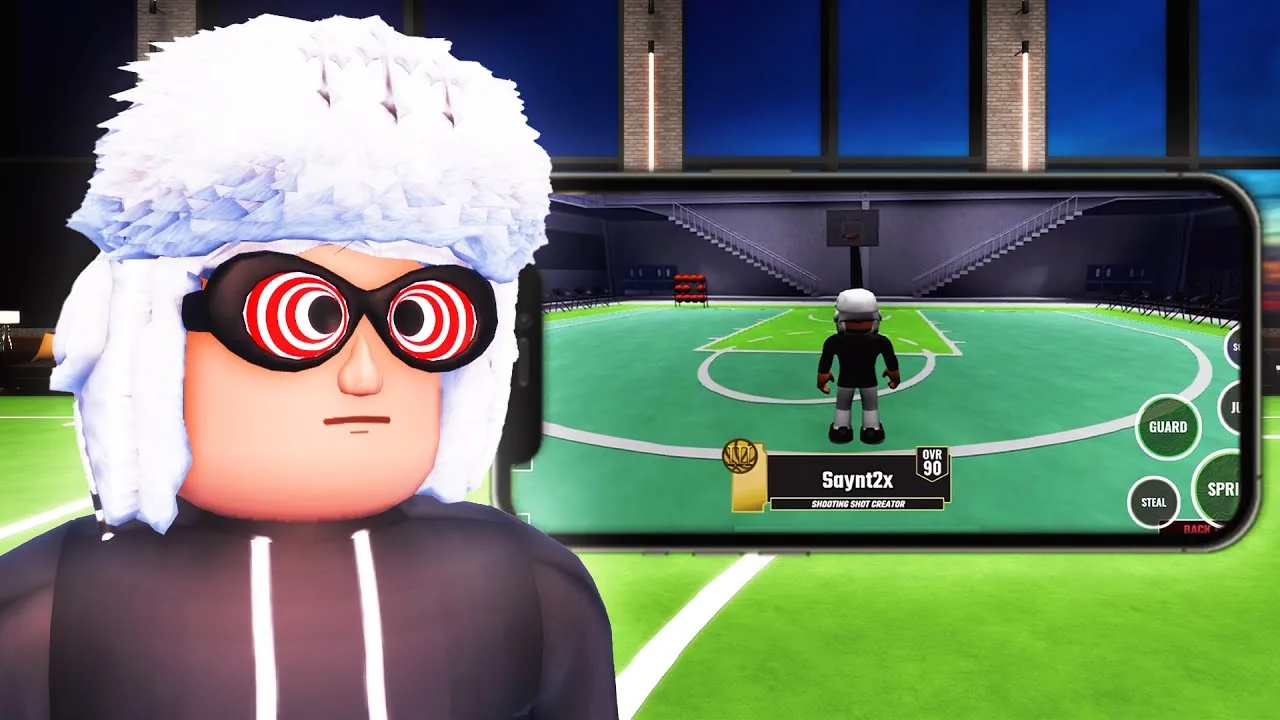
Playground Basketball mobile controls rely on dedicated touchscreen buttons across offense and defense, featuring separate inputs for shooting, switching hands, post moves, sprinting, stealing, jumping, guarding, and screening on phones and tablets.
Touchscreen Button Layout
In Playground Basketball on Roblox by Playground Basketball | Community, playing on mobile devices replaces standard keyboard and gamepad bindings with dedicated touch icons clustered on the screen. The interface splits its primary buttons based on ball possession, switching between offensive actions and defensive stops.
When handling the ball, the right side of the screen displays primary offensive icons:
- Shoot: Initiates jump shots, mid-range pull-ups, and floaters, using a timed shot meter for green releases.
- Dunk: Triggers driving finishes at the rim when equipped on builds with dunk ratings.
- Post: Engages post position against defenders near the paint or mid-range.
- Switch hands: Swaps the ball between the player's left and right hand to change dribble angles.
Switching to defense swaps the action layout to defensive assignments:
- Guard: Locks the player into an on-ball stance to contest perimeter drives and clamp ball handlers.
- Steal: Swipes at the ball when in range of an opposing dribbler.
- Jump: Contests incoming jump shots and grabs rebounds off missed field goals.
- Screen: Plants the player in place to set off-ball or on-ball screens for teammates.
- Sprint: Accelerates movement across the court while consuming stamina.
Mobile Action Reference
The interface requires players to tap or hold specific on-screen icons depending on court position and possession.
| Action | Mobile Button Input | Court Scenario |
|---|---|---|
| Jump Shot | Tap and release Shoot button | Perimeter three-pointers and mid-range looks using the meter |
| Hand Switching | Tap Switch hands button | Adjusting drive angles and setting up how to dribble chains |
| Backdown | Tap Post button | Backing down opponents inside the key |
| On-Ball Defense | Press Guard button | Clamping opposing ball handlers along the perimeter |
| Ball Strip | Tap Steal button | Poking the ball loose when timing a contest on the dribbler |
| Shot Contest / Rebound | Tap Jump button | Challenging shooters in the air or securing missed shots |
| Setting Picks | Tap Screen button | Establishing picks through how to screen for open shooters |
| Fast Break | Hold Sprint button | Chasing down fast breaks or closing out on open shooters |
Offensive Mechanics on Touchscreens
Ball handling on mobile relies on tapping directional inputs alongside the offensive icons. In a gameplay demonstration by the creator on YouTube, players can execute crossovers, step-backs, and spin moves by chaining movement inputs with the designated buttons. Tapping the Shoot button initiates the shot meter; releasing at the top of the meter triggers a green release for made shots.
Build attributes directly limit certain offensive icons. Players using builds without dunk ratings rely primarily on floaters, layups, and jump shots rather than the dunk action, as shown in YouTube match tests. In those cases, practicing how to dunk requires allocating attributes to dunking before entering competitive matchmaking.
Handling responsiveness on phones can feature minor meter delay compared to standard PC controls. Tapping rather than holding the action buttons prevents accidental double inputs during high-speed possessions.
Defensive Controls and Camera Handling
On-ball perimeter defense requires coordination between two separate buttons: Guard and Sprint. While how to defend on physical controllers allows holding separate triggers, mobile players must tap the Guard button and engage Sprint simultaneously to maintain pace with driving opponents.
Maintaining defensive positioning on small phone displays, such as an iPhone 13, introduces camera constraints:
- Pinching out to zoom expands the court view, preventing off-screen ball handlers from cutting unnoticed.
- Sprinting drains stamina quickly, requiring players to conserve boosts until the ball handler commits to a drive.
- Defensive badges like Clamps provide physical resistance during on-ball guarding, reducing the chance of ankle breakers when opponents execute rapid crossovers.
Related Guides
PS4 Controls
Learn the full PlayStation controller setup for dribbling combinations, shooting releases, paint finishing, and defensive steals in Playground Basketball.
PS5 Controls
Review exact DualSense inputs for shooting, defense, dribbling, and post mechanics in Playground Basketball on PlayStation 5.