
Playground Basketball How to Defend: Controls, Positioning, and Steals
Defending in Playground Basketball requires holding the contest button, managing space from a side angle, and timing reach-ins when ball handlers start a post twitch or hellspin rather than holding hands up continuously.
Defending in Playground Basketball requires holding the contest button, managing space from a side angle, and timing reach-ins when ball handlers start a post twitch or hellspin rather than holding hands up continuously.
Defensive Controls and Input Mechanics
Contesting shots and stopping drives requires using the dedicated guard mechanic without locking your player into permanent slow movement. Holding the defensive stance button raises your hands to contest nearby shots, but it lowers your movement speed and drains stamina.
| Platform | Guard / Contest | Steal / Reach | Block / Jump | Sprint |
|---|---|---|---|---|
| Keyboard & Mouse | G key or F key | Square equivalent / Left click | Spacebar | Shift key |
| Controller | L2 / Left Trigger (LT) | Square / X button | Triangle / Y button | R2 / Right Trigger (RT) |
| Mobile Touch | Guard on-screen button | Steal on-screen button | Jump on-screen button | Sprint on-screen button |
Holding your hands up the entire possession makes your player sluggish, allowing opponents with 99 speed to blow past you on the perimeter. Instead of pressing contest constantly, track the ball handler using regular movement. Raise your hands with the guard button only when the opponent begins their gather or initiates a jump shot. If you are configuring your setup on desktop, check the full PC controls to map comfortable keybindings for simultaneous movement and contesting.
Mobile defense requires managing camera distance manually. The touch interface places the Guard, Steal, Jump, and Sprint buttons together on the right side of the screen. Because holding Guard and Sprint simultaneously is difficult on touchscreens, keep your camera zoomed out to track ball movement and avoid committing early to fake drives. You can review the interface setup in detail through the dedicated mobile controls guide.
Camera Angles and Court Positioning
Facing offensive players directly creates a blind spot where the dribbler can hide behind your player model during quick retreat animations. Playing defense from a side angle or an angled perspective keeps both players fully visible on screen.
Iso guards rely on walkbacks, snatchbacks, and sudden spin backs to create space for mid-range and three-point shots. From a straight-on camera angle, sudden backward steps often disguise the shooter until their meter fills. Positioning your defender slightly shaded to the side allows you to see the exact moment the opponent turns their back or starts a moonwalk.
When guarding the perimeter, position your character at the top of the key rather than overcommitting to the left or right sideline. Shading too far toward a corner gives ball handlers open lanes for speed boosts. Play the opposite side of the live dribble hand. When an opponent uses the Young moving behind the back or standard crosses, they naturally cross back across the body to their off-hand. Standing in that return path cuts off their angle and triggers defensive body bumps.
To counter the crab move—where a scorer slips directly in front of you so your hands rest on their back—release your contest button immediately. Sprint directly toward the rim into the paint rather than trailing their hip. Once the scorer enters their shot motion, tap the contest button to register a clean challenge from behind without triggering the contact animation that bails them out.
Timing Steals on Hellspins and Dribble Moves
Stealing the ball in Playground Basketball depends on reading animation startups rather than blindly pressing the reach button. While the game lacks a reach-in cooldown penalty, mistimed reaches against high-speed dribblers cause reaching fouls or trigger ankle breaker animations that leave you stranded.
Ball handlers executing a hellspin must rapidly tap their post button to make their character twitch before spinning the analog stick and switching hands. The moment an opponent twitches into a post-up animation or attempts a long behind the back, press your steal button immediately. Because the ball handler cannot branch out of the initial post frame into a shot, this window provides an uncontested steal opportunity.
High strength ratings significantly enhance defensive viability. Guards and wings with heavy strength ratings push lower-strength dribblers backward on physical bumps. Pairing a 90 or higher strength build with defensive badges knocks ball handlers off balance, creating loose-ball recoveries. If you want to build a lockdown character tailored for perimeter disruption, check out the optimized best build specifications.
Countering Specific Offensive Moves
Every primary scoring move in the game has a specific defensive answer based on distance, timing, and recovery:
| Offensive Technique | What to Look For | Best Defensive Response | What You Must Sacrifice |
|---|---|---|---|
| Hellspin to Behind the Back | Player twitches in post stance before rotating the stick | Tap steal instantly upon seeing the post twitch | Commits your hand; risky if the opponent fakes the post |
| Moonwalk to Crab | Dribbler turns back to camera and walks backward | Drop the guard button and sprint straight to the paint | Gives up deep three-point contest if the opponent shoots immediately |
| Euro Step / Hop Step Dunk | Slasher hops inside the paint with limitless takeoff | Back off into the rim and hold space before they rise | Concedes open floaters and mid-range pull-ups |
| Walkback Mid-Range | Player walks forward slowly before snapping backward | Maintain a slight cushion and contest on the gather | Yields inside positioning if the player drives instead |
Guarding inside slashers requires maintaining spacing around the paint. When slashers initiate a hop step or euro step toward the rim, attempting to contest them while their target circle is white results in an uncontestable dunk. You must position your body to turn their indicator red before they leave their feet. Drop back directly under the rim so their gather animation collides with your body frame, forcing a contested floater or an altered layup.
When an offensive player gets knocked to the floor or falls after an ankle breaker, they can instantly stand back up on controller by pressing the screen button (Circle or B) followed immediately by jump (Triangle or Y). Never assume a fallen player is out of the play; keep your defensive posture ready until the possession ends.
Essential Defensive Badges and Setups
Defensive attributes and badge combinations determine how much contact you can absorb without sliding out of bounds.
Clamps is the cornerstone badge for perimeter containment. Bronze and silver tiers provide basic bump resistance, but gold clamps and Hall of Fame clamps are necessary to stop high-speed guards from gliding past on the perimeter. Gold Intimidator works directly with physical strength, frequently forcing stumbling animations on ball handlers who attempt to drive into your chest.
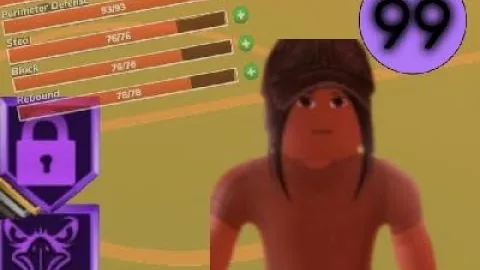
Pairing Pogo Stick with Magnet allows defenders to contest stepbacks and quickly recover for rebounds or chase-down rejections without getting locked into grounded delay animations. Thief increases the success rate of reach-ins during post twitches, while Ankle Braces prevents defenders from slipping when opposing guards chain multiple crossover moves. Investing stat points into perimeter defense up to 93 unlocks elite contest windows, ensuring that even late-closing challenges lower the opponent's green shot percentage.
Related Guides
Dribble Guide
Learn core dribble inputs, controller mapping, signature animations, and separation combos to break perimeter defenders in Playground Basketball.
How to Dunk
Learn controller and keyboard button inputs, setup moves, and stat requirements to throw down dunks consistently in Playground Basketball.